AI Inventory Creation
5 min read·Updated July 2026
Overview
AI autofill speeds up listing creation. Select a category, then let Seller Hub draft title, description, and thumbnail for you.
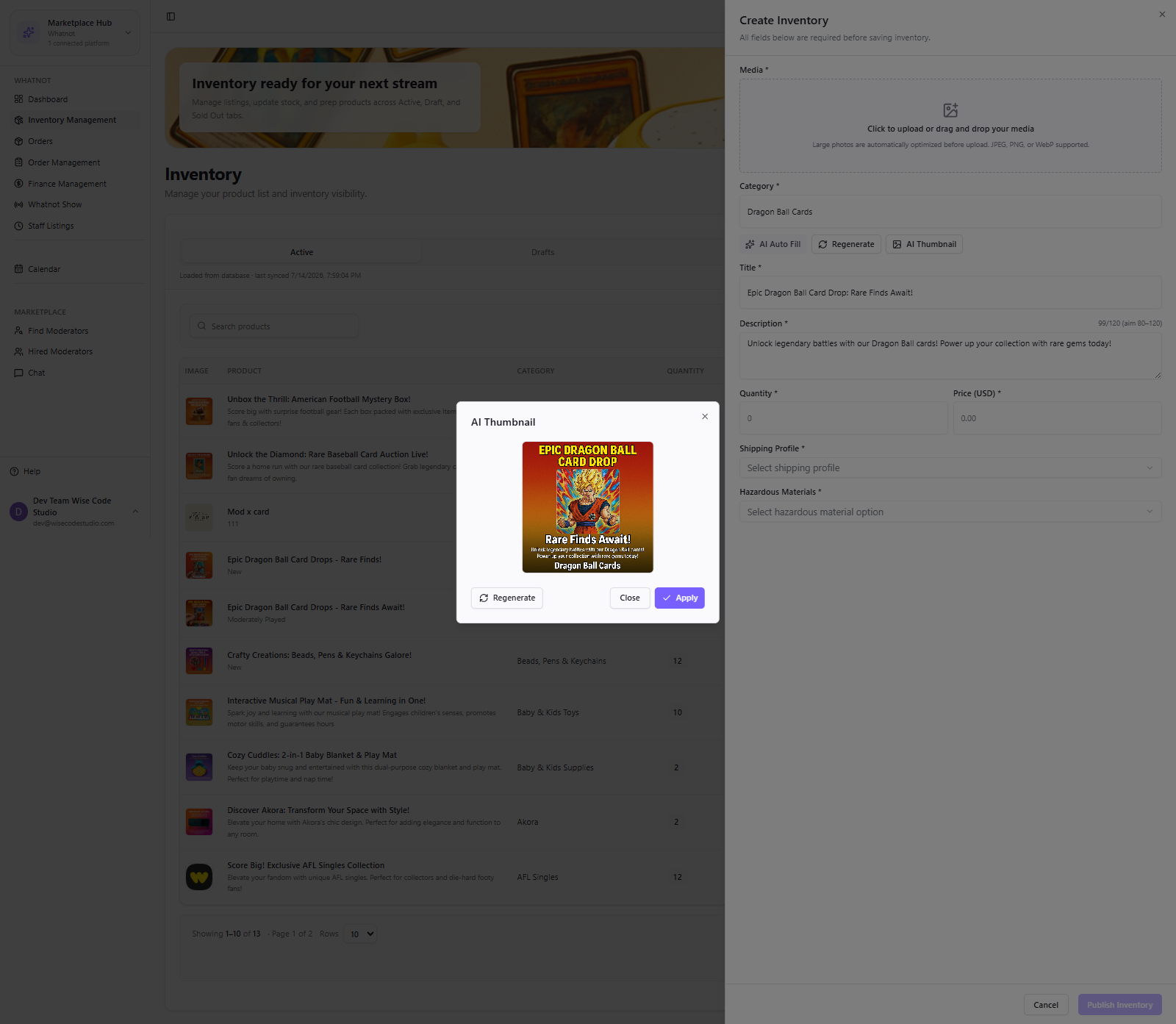
- 1
Open Inventory Management (streamer) or View Inventory (staff with permission).
- 2
Start Create Inventory.
- 3
Select the category that best matches the product.
- 4
Run AI autofill for title, description, and thumbnail.
- 5
Review every field — AI is a draft, you remain responsible for accuracy.
- 6
Save. Staff-created items go to Pending / Staff Listings for streamer approval.
Quality tip
Edit AI titles for clarity and compliance before publishing. Keep brand voice consistent across shows.
FAQ
Related articles
Was this article helpful?