Agency Overview
4 min read·Updated July 2026
Overview
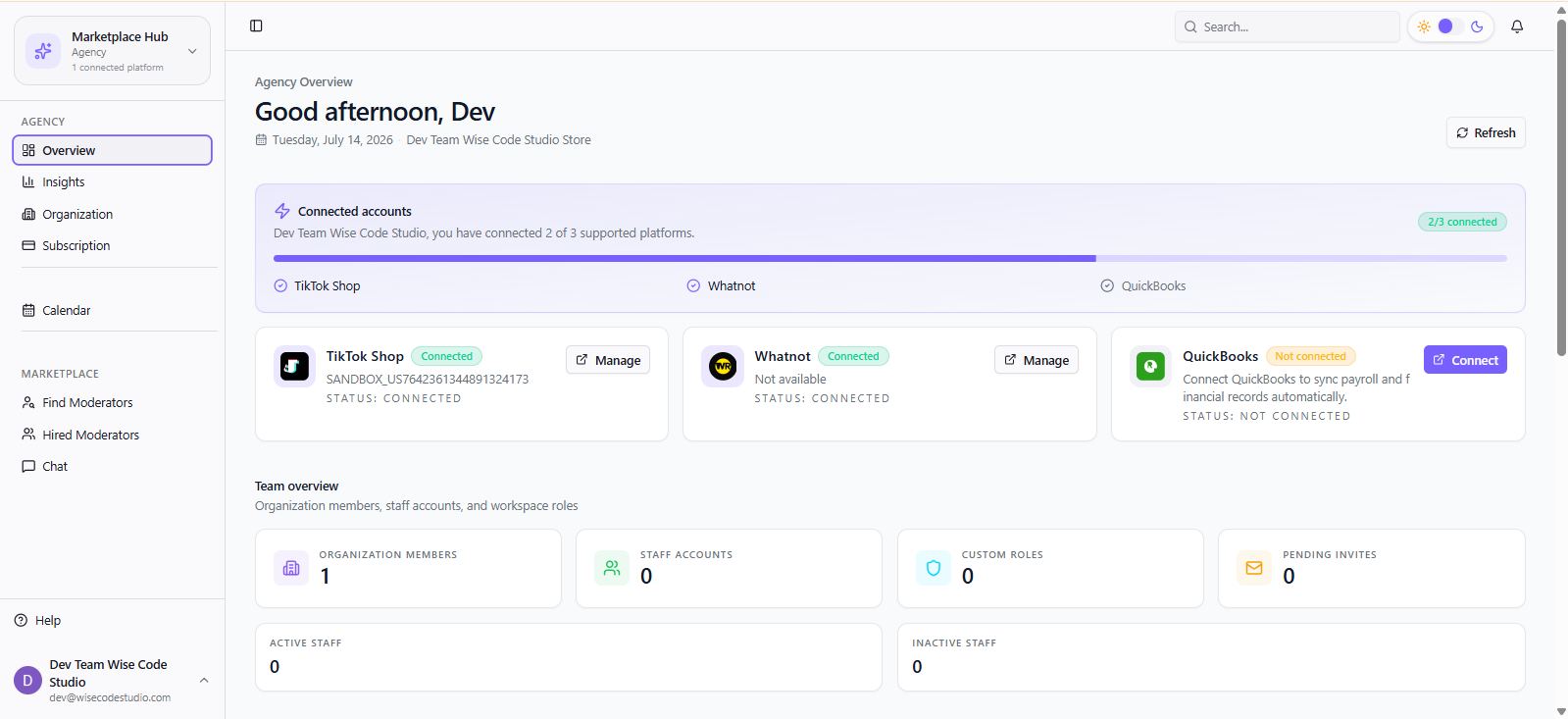
Agency Overview is your home base for organization health. Switch the hub dropdown to Agency, then open Overview.
What you will see
- Connected account details for TikTok and Whatnot
- Total team members and active vs inactive staff
- Roles defined in your workspace
- Workspace details and summary KPIs
- 1
From the sidebar hub switcher, choose Agency.
- 2
Click Overview.
- 3
Scan connected accounts first — if either platform is disconnected, go to Launch Pad.
- 4
Check staff active/inactive counts before payroll day.
Tip
Overview answers “is my agency healthy?” Insights answers “how are my shops performing?”
FAQ
Related articles
Was this article helpful?